
Wondering what the best Hardware Wallet for you actually is? In this guide, we’ll break down the best software and help you choose a hardware wallet under £100, and help you find out which wallet should security researchers use, and which wallets should non-technical users use.
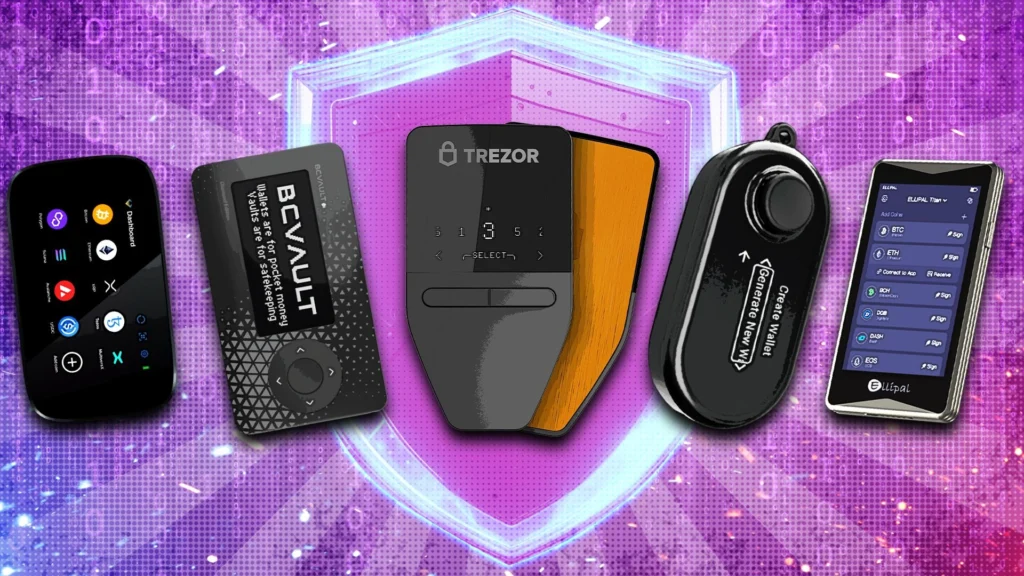
What to Consider When Choosing a Wallet?
Here are a few things to consider when selecting a cryptocurrency wallet.
Reputation: Unfortunately, scams and hacks are common in the bitcoin world. It’s critical to select a cryptocurrency wallet with a strong reputation.
Purpose: Choosing the right wallet depends on your specific demands. A hot wallet, such as MetaMask, may be a good fit if you want to experiment with decentralised protocols, but a cold wallet may be a good fit if you only want to store your bitcoin for the long term.
Blockchains supported: Check the list of supported blockchains before selecting a wallet to ensure compatibility with your crypto-assets.
How to Choose a Hardware Wallet Under £100?
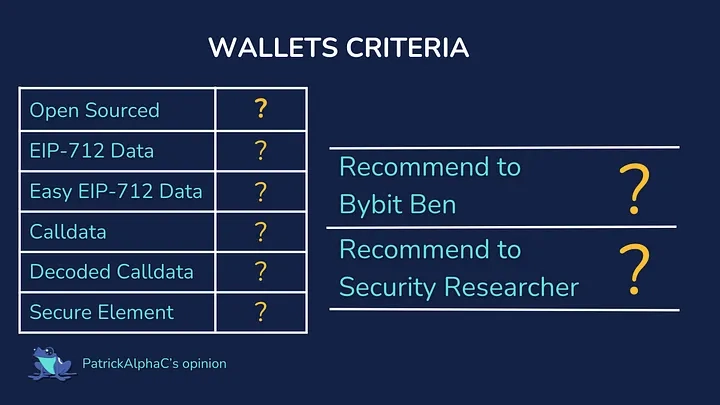
Before we get started, let’s clarify what we’re looking for in a hardware wallet. The main goal is to keep your private key safe. If it cannot do so, it fails in its primary function. We will not evaluate any hardware wallets that do not meet this fundamental need.
Aside from this, I analysed these wallets based on other crucial criteria:
- Visibility of Transaction Calldata: How clear are your signatures on transactions and messages?
- Open source status: Is the wallet code open and reproducible? We use Wallet Scrutiny to determine if a wallet is actually open-sourced. Although the Wallet Scrutiny team is not a fan of EVMs, they nevertheless contribute to our reviews!
- Security features: include secure elements, offline key creation, and backup options.
We prioritised being able to quickly verify our signature data since the easier it is to verify, the more we can prevent hacks like Radiant Captial and Bybit. I created a video explaining the information a wallet should display and why. The graphic above contains a synopsis of that video.
A wallet cannot be used for serious purposes unless it meets certain requirements. Then there are some qualities that would be wonderful to have in a wallet but are not deal-breakers.
Methodology
I connected each wallet to the Safe Wallet UI via MetaMask to standardise testing across devices. I attempted to do both:
- Sign the EIP-712 message.
- Execute a transaction
To determine how effectively each gadget displayed crucial data. I experimented with the settings, saw how they handled sending and receiving ETH, and more.
I’m going to be fairly harsh in my reviews, so don’t expect them to make me popular. I hope the wallet companies read my blog and either tell me what I did wrong or make improvements!
| Wallet | Best For | Price | Supported Blockchains/Cryptocurrencies | Rating |
|---|---|---|---|---|
| Coinbase Wallet | Beginners | Free | 1,000+ (Ethereum, Solana, Bitcoin, Dogecoin, Litecoin, Avalanche) | 4.8 stars |
| Tangem | Overall | $54.90 (2-card), $69.90 (3-card) | 16,000+ cryptocurrencies | 4.8 stars |
| MetaMask | Ethereum | Free | Ethereum, ERC-20 tokens, Layer 2 solutions like Polygon | 4.8 stars |
| Phantom | Solana | Free | Solana, Ethereum, Polygon | 4.5 stars |
| Rabby | User Interface | Free | 40+ blockchains including Ethereum, Avalanche, Polygon, Dogechain | 4.4 stars |
| Guarda | Cryptocurrency Selection | Free | 50+ blockchains including Bitcoin, Ethereum, Cardano, Solana | 4.2 stars |
| Crypto.com DeFi Wallet | DeFi Staking | Free | 30+ blockchains including Ethereum, Bitcoin, Crypto.com | 4.2 stars |
| Trust Wallet | Binance and Binance.US Users | Free | 100+ blockchains including Bitcoin, Ethereum, Solana, Litecoin | 4.2 stars |
| Exodus | Customer Support | Free | 250+ cryptocurrencies including Bitcoin, Ethereum, Solana | 3.9 stars |
| ZenGo | Easy Account Recovery | Free | 10 blockchains — including Bitcoin, Ethereum, and Dogecoin | 4.1 stars |
| Ledger | Hardware Wallet | $79 | 5,000+ cryptocurrencies | 4.8 stars |
| Trezor | Hardware Wallet for Price | $49 | 1,000+ cryptocurrencies | 4.2 stars |
The Best Crypto Wallets Under £100
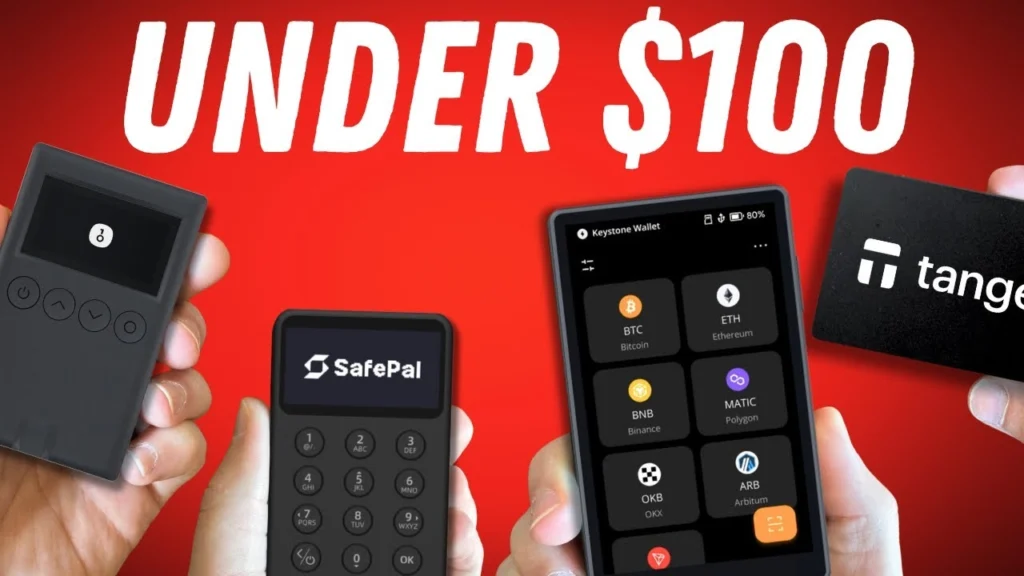
If you’re looking for a hardware wallet under £100 to keep your cryptocurrency secure, here’s a comprehensive options to choose from:
Tangem
The Tangem Card Wallet is special as a credit card-sized hardware device. It carries a secure element for private key generation and offers convenient tap-to-phone functionality.
Pros:
- Very portable form factor
- Easy to use for tap-based payments
- Great for small amounts and casual use
Cons:
- Closed source
- Needs dedicated mobile app
- No testnet support
- Completely fails to display calldata for transactions
- Limited show of signature data
For developers and security professionals, this wallet is unacceptable due to its inability to display transaction call data. You’re signing transactions blindly. It may work for storing small amounts, but it’s not suitable for serious DeFi work.
Cypherock
The Cypherock wallet earns points for being open-source and reproducible, which is great. It carries a secure element (EAL6+ rated) and uses a unique card-tapping system for transaction authorization.
Pros:
- Open-source and reproducible
- Secure element (EAL6+ rated)
Cons:
- Poor joystick navigation interface
- Shows no calldata for transactions
- Challenging user experience leads to security weakness
Although the Cypherock shows some signature data, it fails to display calldata for transactions, which is a deal-breaker for professional use. The joystick interface can cause security weakness, making users more likely to approve transactions without proper verification.
Keystone 3 Pro
The Keystone 3 Pro offers a user-friendly touchscreen interface. According to the Wallet Scrutiny team, it is a replicable open source project that connects to MetaMask via a revolutionary QR code method.
Pros:
- Verified open source.
- Touchscreen interface.
- Displays EIP-712 signature info.
- QR Code Connectivity Solution
Cons:
- Inconsistent call data decoding
- Missing or truncated decoded call data
- No possibility to access raw call data.
The Keystone Pro began well but fell short. While it clearly displays EIP-712 signature data, its call data decoding is poor and inconsistent. The wallet tries to decode call data, but it frequently displays it inaccurately or incompletely, which can be worse than not decoding at all. There is no possibility to examine raw call data as a fallback.
Trezor Model T
The Trezor Model T is a reliable basic wallet. It is open source and Wallet Scrutiny confirmed, although it lacks a secure element (which is included in the newer Safe 5 model).
Pros:
- Open source, verified
- Displays all call data
- Testnet support
- Good default wallet.
Cons:
- No secure element.
- Small touchscreen.
- One-at-a-time data display (security fatigue).
- Raw call data in difficult-to-verify format.
The Trezor Model T displays all relevant data, however the format is difficult to use. The calldata is given in a manner that makes verification difficult. Furthermore, the absence of a secure feature is problematic for high-value storage. With the Trezor Safe 5 now available, there is little incentive to use the Model T.
Trezor Safe 5
The Trezor Safe 5 enhances the Model T with a secure element and larger touchscreen with haptic feedback.
Pros:
- Open source, verified
- Secure element (EAL6+-rated)
- A larger touchscreen with haptic feedback.
- Shows all call data.
Cons:
- Unintuitive navigation to display call data
- Difficult to obtain call data for verification.
- There is no decoding of call data
The Trezor Safe 5 is ideal for technical users who can verify raw call data. The UI has some unintuitive parts, particularly when evaluating transaction data, but it displays all relevant information for adequate verification. Its open-source nature provides considerable benefits to security-conscious users.
Ledger Nano X
The Ledger Nano X wallet has been popular for years, but it has restrictions.
Pros:
- Displays domain and message hashes for signatures (HUGE PRO).
- A solid track record of secure hardware.
- Good firmware verification.
Cons:
- Closed source
- Poor two-button interface.
- Confusing “blind signing” terminology.
- Strange format for displaying call data
- The device closes too frequently.
While the Ledger Nano X does a good job of presenting signature hashes (one of the few wallets that does so via MetaMask), its presentation of calldata is practically useless. The “debug contracts” setting has a strange name, and the call data is shown in a proprietary format that is difficult to validate. Given the existence of the Ledger Flex, there is little need to choose the Nano X.
Ledger Flex
The Ledger Flex outperforms the Nano X with a secure screen and enhanced usability.
Pros:
- Displays domain hash and message hash for signatures.
- Secure screen.
- Excellent button feel and use.
- Stays active longer than Nano X.
Cons:
- Closed source
- Same confused calldata display as Nano X.
- “Debug contracts” setting to view calldata
The Ledger Flex excels at displaying domain and message hashes for signatures, making verification much easier than with other wallets. However, it displays call data in the same terrible manner as the Nano X. If you’re familiar with closed-source solutions, the Flex is a good option, particularly for signature verification.
Onekey Pro
Despite claiming to be open source, the Onekey Pro failed Wallet Scrutiny’s repeatability tests.
Pros:
- Excellent tactile feedback.
- Air gap mode
- EAL6+ security element
- Shows all signatures and call data.
Cons:
- Not really reproducible open-source
- No display of the domain/message hash.
- Calldata is not decoded.
The Onekey Pro boasts superb hardware and usability but falls short of being genuinely open-source. It displays the required data for signatures and transactions, but does not decode call data or display hashes for simpler verification. With a few tweaks and an actual open-source status, this may be an excellent wallet.
Grid Lattice Plus
Despite its closed-source nature, the Grid Lattice Plus wallet received the top rating in this review.
Pros:
- Large screen real estate
- Excellent calldata decoding, including nested transactions.
- Smooth user interface
- EAL6+ security element
Cons:
- Closed source (proprietary chip).
- Bulky form factor.
- No possibility to access raw call data.
The Grid Lattice Plus performs the best call data decoding of any wallet evaluated, including nested transactions. This function is quite useful for non-technical people. However, it lacks the ability to view raw call data, which certain technical users may prefer. The closed-source nature is still an issue for optimal security.
Conclusion
After analysing nine hardware wallets, it’s evident that there is no perfect solution—each has drawbacks. If open source is a priority, the Trezor Safe 5 provides the finest blend of security and usability. However, confirming call data remains tough. For people familiar with closed-source solutions:
- The Grid Lattice Plus offers unsurpassed transaction decoding.
- The Ledger Flex excels in signature verification.
- The Onekey Pro provides good overall usability.
Remember that the fundamental purpose of a hardware wallet is to protect your private keys while allowing you to verify what you’re signing. If you don’t understand what you’re signing, don’t complete the transaction, regardless of whatever wallet you use.
For EVM ecosystem developers and security researchers, I propose choosing a wallet that meets your specific needs, such as open-source verification, ease of transaction decoding, or signature verification capabilities.
Frequently Asked Questions

What Is a Crypto Wallet?
Cryptocurrency wallets are applications that let you to securely store, send, and receive cryptocurrencies.
Why Do I Need a Custodial Wallet?
Many bitcoin proponents use the term ‘Not your keys, not your crypto’. This simply means that if your bitcoin is held on an exchange, you are not the genuine owner of it.
While cryptocurrency exchanges provide an easy way to trade and store cryptocurrency holdings, you may lose access to your crypto if your account is frozen, the exchange’s security is compromised, or the exchange goes bankrupt.
Crypto investors have lost access to their holdings due to bankruptcy filings by exchanges such as BlockFi and Voyager.
How Does a Crypto Wallet Work?
A cryptocurrency wallet allows you to store and manage your bitcoin. It consists of two parts: public keys and private keys.
- Public keys, like bank account numbers, display cryptocurrency balances while maintaining account security.
- Private keys function similarly to bank account passwords. They allow the wallet owner to access their bitcoin and approve transactions.
What Type of Wallet Should I Choose?
Not sure which sort of wallet is best for you? Let’s look at the distinctions between hot and cold wallets.
- A hot wallet is one that connects to the internet. These wallets facilitate certain tasks, including trading NFTs and accessing DeFi protocols.
- Cold wallets, also known as hardware wallets, generate and store private keys offline. Cold wallets eliminate the possibility that someone will hack your internet wallet and take your bitcoin.
How Do I Keep My Crypto Wallet Safe?
Unfortunately, hacks and scams are common in the cryptocurrency community. Here are some security tips to keep your wallet safe.
Look out for phishing scams, ‘Phishing’ is a prevalent scam in the cryptocurrency industry, when hackers use a questionable link to get access to your bitcoin. Be cautious before clicking any web links.
Keep your private keys safe, as they can be used to access your money. They should be kept in a secure location offline, not on an Internet-connected device!
Consider using a hardware wallet, like as the Ledger, if you’re willing to invest. Hardware wallets are considered the gold standard in terms of security because they store your private keys offline. Hardware wallets can communicate with software wallets, allowing you to interact safely with decentralised applications.
How Do I Track Value of My Crypto Across Different Wallets?
Crypto investors often use many wallets and exchanges. Unfortunately, switching between various platforms will make it impossible to track the total worth of your holdings.
A cryptocurrency portfolio tracker can help with this. CoinLedger connects to hundreds of wallets and exchanges, providing you a real-time view of your crypto assets.