As DeFi protocols, tokenized assets, and on-chain governance grow, knowing how to verify smart contracts before investing is crucial for increasing user and regulatory trust. Smart contract verification is an essential technique for improving the security, transparency, and legitimacy of blockchain-based services.
Here, we’ll examine smart contract verification, why it matters, 5 ways to verify smart contract code, giving you tools to increase transparency, build trust, and secure your dApps, as well as how to verify contracts created with no-code tools like Token Tool—across Ethereum, BNB Chain, Base, and other EVM chains.
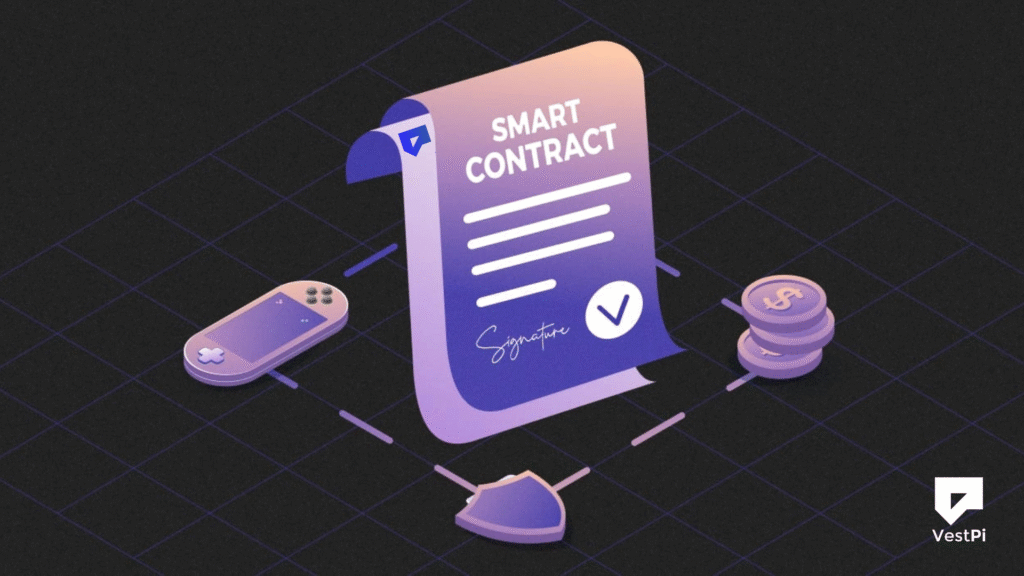
What is a Smart Contract?
Smart contracts are blockchain-based programs that execute autonomously. Smart contracts, implemented in languages like Solidity, enable actual Web3 applications such as DeFi, NFTs, tokenized real-world assets, and more.
Smart contracts, like all code, can have errors or vulnerabilities. And on unchangeable blockchains, errors might result in permanent fund loss or exploitation. Verifying smart contracts is crucial as it ensures that the released bytecode matches the source code.
What is Smart Contract Verification?
Smart contract verification is the process of ensuring that the deployed bytecode on a blockchain matches the original human-readable source code. It increases transparency by allowing users to inspect the contract’s logic and ensuring that it works as intended, with no hidden weaknesses or malicious alterations.
In light of recent DeFi attacks linked to unverified or obfuscated contracts, verification is more than simply good practice; it is critical.
Why is Smart Contract Verification Important?
For a number of reasons, you might want to use a public block explorer to verify (or open source) your smart contract.
- Transparency: Decentralization and transparency are two of Web3’s most crucial features. Open-sourcing the smart contracts in your project boosts community trust and makes it possible for anybody to review the code and offer enhancements.
- Security: Your smart contract will essentially have extra eyes on it after it has been confirmed, and smart contract specialists can find any potential weaknesses. The drawback is that your contract may be exploited if someone (a black hat) discovers the weakness first.
- Innovation & acceptance: Since other developers can now fork your code, add features, and build upon it, open-sourced code encourages more innovation and acceptance. A more vibrant development ecosystem with a quick learning rate results from this.
Deploying A Smart Contract
Before we begin the smart contract verification procedure, we must first publish a contract on the blockchain. We’ll use Remix.IDE, an online tool for creating, deploying, debugging, and testing Ethereum and EVM-compatible smart contracts.
Create a “MyToken.sol” file in Remix.IDE and update it using the code below.
// SPDX-License-Identifier: MIT
pragma solidity ^0.8.9;

import "@openzeppelin/contracts/token/ERC20/ERC20.sol";

contract MyToken is ERC20 {
    constructor() ERC20("MyToken", "MTK") {}
}
To deploy the contract, first compile it on the Solidity Compiler tab. Then, navigate to the Deploy & Run Transactions tab to complete the process. Choose Injected Provider or WalletConnect, connect your wallet, and deploy the contract.
5 Ways to Verify Smart Contract Code
Method 1: Verify Smart Contracts via Etherscan
The Etherscan UI is the simplest way to validate your source code. No programming skills are required for this method.
To verify and publish a smart contract on Etherscan, go to the Contract tab and select the Verify and Publish link there.
Then, choose the file type, compiler version, and license. This step is critical because the verification procedure will fail if there is a mismatch between the smart contract type and the license.
If your smart contract imports many solidity files, you may either upload a flattened version as a single file or upload each solidity file individually (as seen above).
To achieve a flattened contract, right-click the filename in your Remix.IDE file explorer and select Flatten. Remix.IDE will generate a flattened version of your smart contract (for example, MyToken_flat.sol), which you can then paste into Etherscan. To import both the MyToken.sol and @openzeppelin/contracts/token/ERC20/ERC20.sol files, choose Multi-File.
Method 2: Smart Contract Verification with Hardhat
Hardhat is a popular smart contract development framework that allows for quick source code verification. To check your source code, you will need an Etherscan API key.
First, make a Hardhat boilerplate project.
npx hardhat initUpdate your hardhat.config.js file using the etherscan object and API key.
module.exports = {
  networks: {
    sepolia: { ... },
  },
  etherscan: {
    apiKey: "YOUR_ETHERSCAN_API_KEY",
  },
};
Then, execute the following command to verify your source code:
npx hardhat verify --network sepolia DEPLOYED_CONTRACT_ADDRESS 'Constructor argument 1'Refer to the Hardhat documentation for help with complex constructor arguments.
Method 3: Verify using Remix.IDE and Etherscan Plug-in
Remix.IDE includes the Etherscan plug-in for browser-based smart contract verification.
Once the contracts are compiled, navigate to the Etherscan plug-in and choose the smart contract you want to validate. Then, if necessary, add any constructor arguments and click verify.
Method 4: Verify a Smart Contract via Brownie
If you utilize Brownie for smart contract deployment and testing, you can simply validate the source code using the procedures listed below. For those new to Brownie, here’s an overview of how to install a smart contract.
To check a contract after deployment, use the publish_source=True argument.
acct = accounts.load('deployment_account')
Token.deploy("MyToken", "MTK", 18, 1e28, {'from': acct}, publish_source=True)
Just in case the contract has already been deployed, use the following command:
token = Token.at("0x114A107C1931de1d5023594B14fc19d077FC4dfD")
Token.publish_source(token)
Note that Brownie documents provide additional reference material if you need them.
Method 5: Verify a Smart Contract with Foundry
If you’re using Foundry to manage your smart contract project, checking your contracts on Etherscan is a breeze.
Add the flag –verify to your deployment command to verify your source code on Etherscan immediately after contract deployment. For example:
forge script script/DeployMyToken.s.sol:DeployMyToken \
    --rpc-url $QUICKNODE_HTTP_URL \
    --private-key $PRIVATE_KEY \
    --broadcast \
    --verify $ETHERSCAN_API_KEY \
    -vvvv
The command above refers to an example terminal command that will run a deployment script with the specified flags. Replace the QUICKNODE_HTTP_URL with your actual Quicknode HTTP Provider URL. Replace the placeholder ETHERSCAN_API_KEY with your actual Etherscan API key, and reference a private key in the PRIVATE_KEY field. Refer to the documentation for more details.
To validate a previously deployed smart contract, use the forge verify-contract command:
forge verify-contract \
    --chain-id 11155111 \
    0xYourContractAddress \
    --etherscan-api-key $ETHERSCAN_API_KEY \
    src/MyToken.sol:MyToken
The aforementioned command refers to our Etherscan API once more using the ETHERSCAN_API_KEY placeholder, along with the CONTRACT_ADDRESS, which is the path to the directory and contract name (such as src/MyToken.sol:MyToken) and the chain ID (such as 11155111 or sepolia).
A response sample would look like this:
Submitting verification for [src/MyToken.sol:MyToken] "0x39919853588384E093B12BaEAaBB5e03d4DC765a".
Submitted contract for verification:
  Response: `OK`
  GUID: `vdgcv4ti9wsjc5pdphbzj1pjuybxwajrmtv8eudzaik9ap9b3p`
  URL:
        https://sepolia.etherscan.io/address/0x39919853588384e093b12baeaabb5e03d4dc765a
Keep in mind that you can also use forge-verify-check to find out whether a smart contract has been verified on a certain provider (like Etherscan).
See the Foundry documentation here for additional details. Please take a look at our several Foundry guides for varying skill levels!
Smart Contract Development Tools
- Hardhat (JavaScript): An Ethereum software development environment. It is made up of various parts that you may use to modify, compile, debug, verify, and launch your dApps and smart contracts.
- Remix.IDE (Browser-based): An open-source IDE for creating and testing smart contracts is called Remix.IDE (browser-based). Before contracts are deployed to the Ethereum network, they can be created, tested, and verified using a browser-based interface.
- Etherscan (Browser-based): Etherscan is a browser-based block explorer and analytics tool for the Ethereum network. It offers an easy-to-use web interface that lets people investigate and monitor the Ethereum network behavior.
- Brownie (Python): An Ethereum smart contract creation and testing framework built in Python. It offers an easy-to-use interface for developing, assembling, and distributing contracts as well as executing automated tests.
- Foundry (Solidity): This is a smart contract development toolkit that allows you to manage dependencies, compile projects, run tests, deploy, and communicate with the chain using command-line and Solidity scripts.
Troubleshooting Smart Contract Verification Errors
There are a few troubleshooting methods you can employ if you’re having difficulties checking smart contract source code:
- Verify the contract address again: Make sure the contract address is right. Make sure you are confirming the right contract if you have deployed more than one.
- Verify the version of the compiler: Make sure the version of the compiler used to compile the source code corresponds to the version listed in the verification tool. You might need to recompile the source code using the appropriate version if the compiler version changes.
- Examine the source code: Make sure the deployed contract and the source code you validate match. If there are any discrepancies, you will have to redeploy and recompile the contract.
- Verify the parameters and settings: Certain verification tools need certain parameters and settings to be properly set. Make sure the parameters and settings are right by double-checking them. Make sure you set up this Etherscan setting if your smart contract requires optimization during compilation.
- Verify if the constructor’s arguments are accurate: You will need to include this during the verification process if your contract utilized a constructor during deployment.
- Examine the error message: If an error notice appears, attentively read it and make an effort to comprehend the issue. The error message could offer hints about the problem’s underlying cause.
- Look for support and documentation: To assist with troubleshooting, a number of smart contract development tools offer forums, documentation, and other resources. Look through these resources for advice or ask the community for assistance.
By using these troubleshooting techniques, you can identify and resolve issues when verifying smart contract source code and ensure that your code is secure and reliable.
How to Verify Contracts Created with Token Tool
Step 1: Access the Token Management Section
- Visit Token Tool.
- Navigate to “Manage Token” and connect your contract-owning wallet.
- Choose your coin from the selection list, or manually enter the contract address.
Step 2: Initiate Source Code Verification
- Click the “Verify Source Code” button.
- Select the blockchain explorer where the contract should be confirmed (e.g., Etherscan, Polygonscan).
- Pick the verification type:
- Verify the token contract using Bitbond branding (default branding from Token Tool).
- Verify the source code contract without Bitbond branding.
- Verify smart contracts with personalized branding.
Step 3: Submit Verification Details
- Review the verification terms and agree to them.
- Click “Submit” to confirm the wallet transaction.
- Pay the needed payments for verification.
Step 4: Complete Verification & Check Explorer
- Once the transaction is validated, the blockchain explorer compares the source code to the deployed bytecode.
- Upon completion, your contract will be marked as Verified on the explorer.
- Users will be able to inspect and interact with the contract’s source code directly through the explorer interface.
Final Remarks
Smart contract verification is a critical step toward ensuring blockchain applications’ security, transparency, and trust. Whether you are a developer, investor, or project owner, verifying your smart contract protects users from unknown threats and increases the legitimacy of your enterprise.
No-code tools enable developers and project teams to easily validate smart contracts, ensuring their source code is public, secure, and trustworthy. Verification is no longer a bottleneck; rather, it is a best practice that anyone can adopt in minutes.
By following the methods provided in this article, you may reliably validate your smart contract, ensuring that it works as intended while also increasing your reputation in the blockchain community.